SurveyJS v2.0.5
Released: April 15, 2025
SurveyJS v2.0.5 adds support for user-defined choice options in Dropdown and Tag Box questions and presents a demo example that shows how to integrate SurveyJS with a Python backend.
Dropdown and Tag Box: Support for User-Defined Options
Single- and Multi-Select Dropdown question types introduce a capability for users to create custom choice options based on values they enter directly into the input field. This capability allows users to add and select choice options that were not originally provided by the survey author.
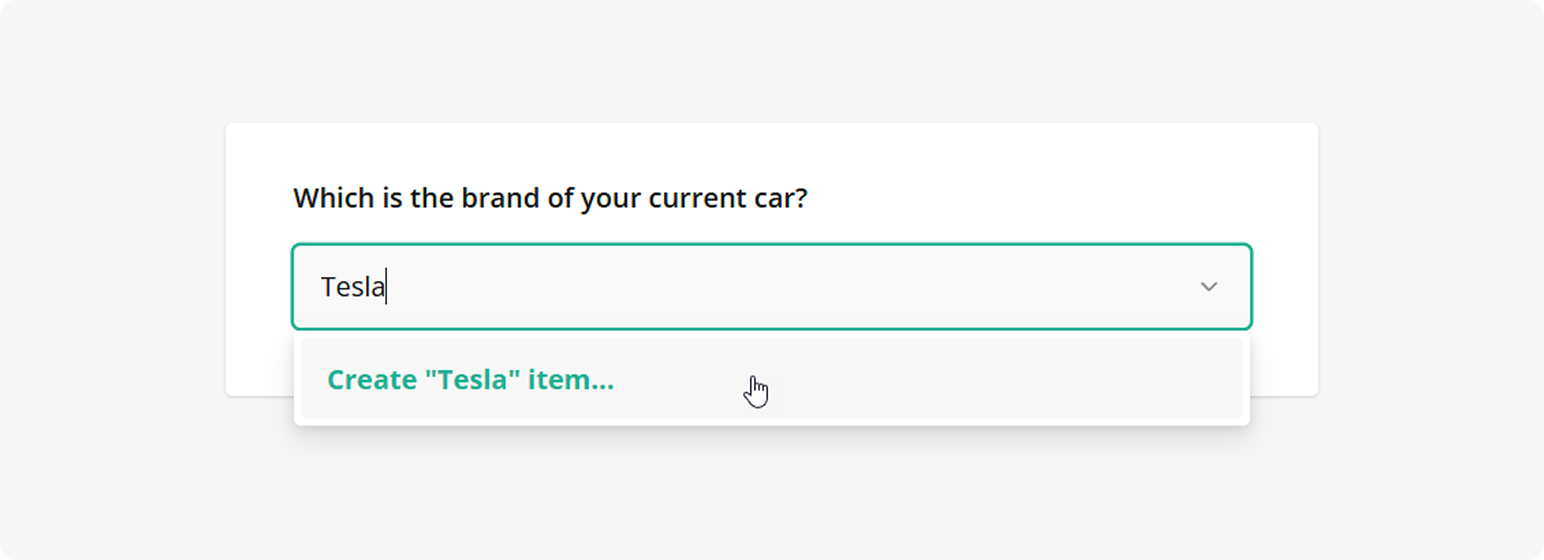
To enable this feature, set the allowCustomChoices property to true for individual Dropdown and Tag Box questions:
const surveyJson = {
  "elements": [{
    "type": "dropdown",
    "name": "car",
    "allowCustomChoices": true
  }, {
    "type": "tagbox",
    "name": "cars",
    "allowCustomChoices": true
  }]
};
By default, custom choices persist until the user reloads or closes the web page with the survey. If you want to store the choices for a longer period, handle the onCreateCustomChoiceItem event. Within the event handler, you can access the new item along with the list of previously added items and save them in a database or the localStorage.
Python Integration Demo Example
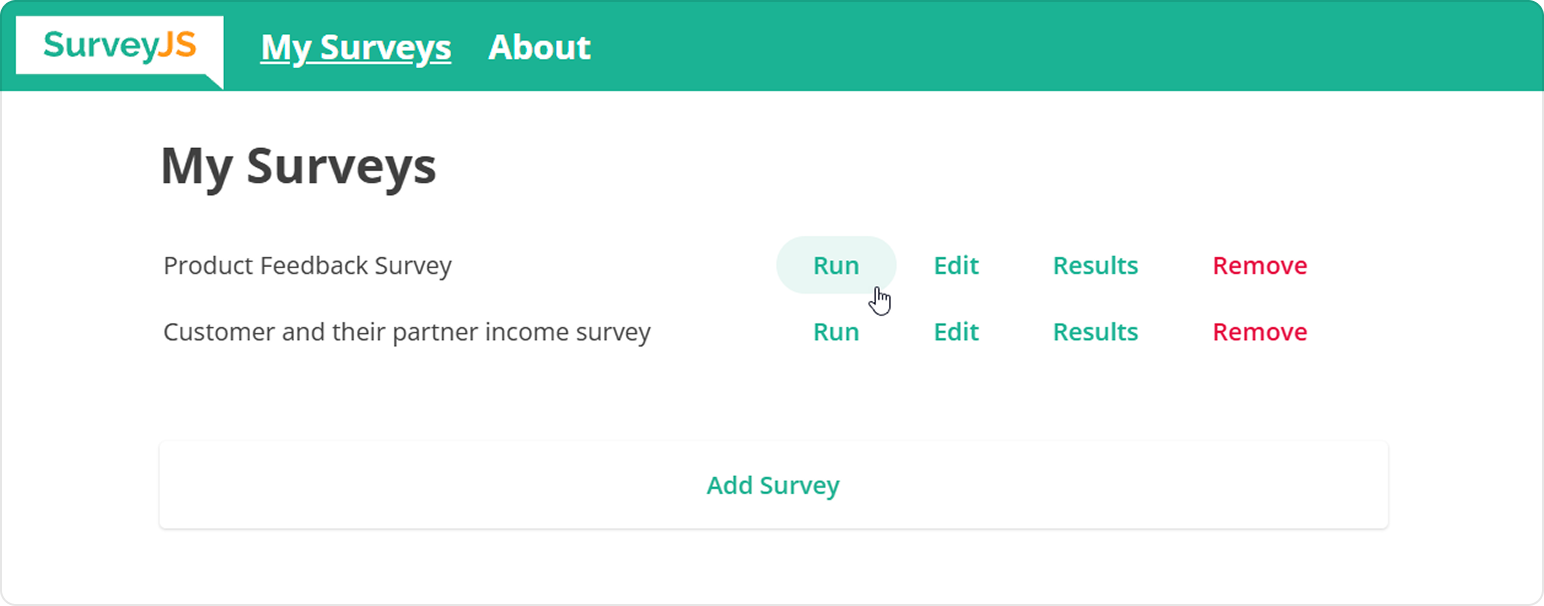
SurveyJS already provides a vast collection of examples that show how to integrate SurveyJS components with different server-side platforms. This release introduces an addition to that collection in the form of a Python integration example. This example implements an application that allows users to edit surveys in Survey Creator, run them using Form Library, and analyze the results using the Dashboard component.
Bug Fixes and Minor Enhancements
Form Library
- Table of Contents doesn't work in question-per-page survey mode (#9705)
- Table of Contents doesn't appear if a survey JSON schema is loaded after rendering a survey (#9704)
- Yes/No (Boolean) Question: When selecting a value for the first time, the Yes label is not announced by a screen reader (#9734)
- Single-Select Matrix: A screen reader announces too much information when selecting each option (#9717)
XMLHttpRequestandImageare not supported by Node.js (#9728)- Advanced header is misaligned when static width is specified for a survey (#9715)
- Composite questions:
SurveyModel'sonPanelVisibleChangedevent is not raised when an inner panel's visibility is changed (#9698) - Select-based questions: The "Other" comment box is focused on loading a survey if a default value for the comment box is specified (#9700)
- Survey Creator: The
choiceValuesFromQuestionandchoiceTextsFromQuestionsettings are unavailable for drop-down columns in a Multi-Select or Dynamic Matrix (#9741) - The
onAfterRenderMatrixCellevent contains an incorrect object in theoptions.questionparameter (#9469) - "Skip To" trigger is no longer executed if you return to the original question and move forward (#9708)
- Dynamic Panel in a detail form of a Dynamic Matrix: The "Add Panel" button disappears even though the
maxPanelCountisn't reached (#9714) - The
onPartialSendevent isn't raised when switching between pages in question-per-page survey mode (#9737) showOtherItemand other properties specific to select-based questions are defined in the commonQuestionclass (#9722)
Survey Creator
- Property Grid: An icon is missing icon for the Numbering category (#6780)
- Preview tab: Page selector is not updated when switching between survey pages using in-survey navigation (#6815)
- Expressions: A backslash in a new line character
\nis escaped while it shouldn't be (#6818)
How to Update SurveyJS Libraries in Your Application
Angular
npm i survey-core@2.0.5 survey-angular-ui@2.0.5 --save
npm i survey-creator-core@2.0.5 survey-creator-angular@2.0.5 --save
npm i survey-analytics@2.0.5 --save
npm i survey-pdf@2.0.5 --save
React
npm i survey-core@2.0.5 survey-react-ui@2.0.5 --save
npm i survey-creator-core@2.0.5 survey-creator-react@2.0.5 --save
npm i survey-analytics@2.0.5 --save
npm i survey-pdf@2.0.5 --save
Vue.js
npm i survey-core@2.0.5 survey-vue3-ui@2.0.5 --save
npm i survey-creator-core@2.0.5 survey-creator-vue@2.0.5 --save
npm i survey-analytics@2.0.5 --save
npm i survey-pdf@2.0.5 --save
HTML/CSS/JavaScript
<link href="https://unpkg.com/survey-core@2.0.5/survey-core.min.css" type="text/css" rel="stylesheet">
<script type="text/javascript" src="https://unpkg.com/survey-core@2.0.5/survey.core.min.js"></script>
<script type="text/javascript" src="https://unpkg.com/survey-js-ui@2.0.5/survey-js-ui.min.js"></script>

<script src="https://unpkg.com/survey-core@2.0.5/themes/index.min.js"></script>
<script src="https://unpkg.com/survey-creator-core@2.0.5/themes/index.min.js"></script>

<link href="https://unpkg.com/survey-creator-core@2.0.5/survey-creator-core.min.css" type="text/css" rel="stylesheet">
<script src="https://unpkg.com/survey-creator-core@2.0.5/survey-creator-core.min.js"></script>
<script src="https://unpkg.com/survey-creator-js@2.0.5/survey-creator-js.min.js"></script>

<link href="https://unpkg.com/survey-analytics@2.0.5/survey.analytics.min.css" rel="stylesheet">
<script src="https://unpkg.com/survey-analytics@2.0.5/survey.analytics.min.js"></script>

<script src="https://unpkg.com/survey-pdf@2.0.5/survey.pdf.min.js"></script>