Why SurveyJS is the Best Software for Electronic Data Capture
Electronic Data Capture (EDC) refers to the process of collecting clinical or research data using digital forms instead of paper. An EDC system ensures that study data is captured accurately, validated in real time, and stored securely for monitoring and further analysis. EDC is widely used in clinical trials, healthcare research, epidemiology, public health studies, academic research, and any environment where structured, high-quality data is essential.
In this article, we will look at several core components that work together to support digital data collection, validation, monitoring, and reporting in clinical and research settings—and show why SurveyJS is your go-to software for Electronic Data Capture.
SurveyJS Product Family
SurveyJS is a suite of front-end JavaScript libraries that work together to support the full EDC workflow—from designing electronic case report forms (eCRFs) to collecting and validating responses, exporting data, and building custom data dashboards. This suite includes the products listed below.
Form Library
SurveyJS Form Library allows you to render interactive and dynamic forms in the browser. It is MIT-licensed, lightweight, highly customizable, and provides a smooth, animated user experience.
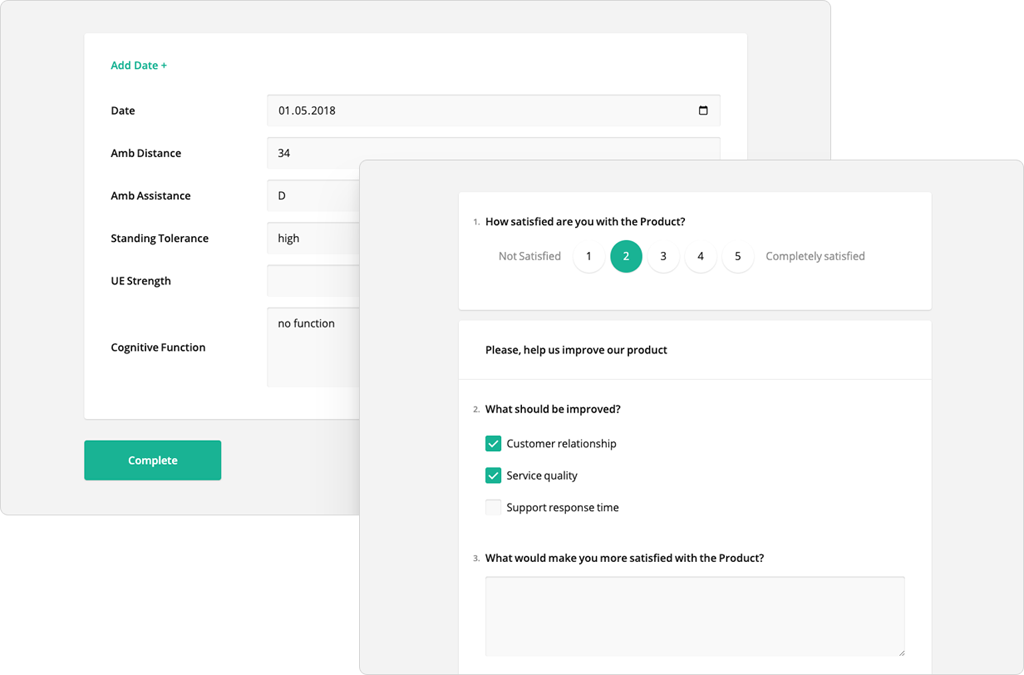
The Form Library supports basic inputs like text, date, and email, along with advanced question types such as dynamic panels, sliders, matrices, and ranking. Features like auto-population, carry-forward logic, skip logic, conditional visibility, and real-time validation help guide users through complex forms and ensure accurate data capture. This makes it ideal for creating rich, structured eCRFs that meet the rigorous requirements of clinical studies and research projects.
Survey Creator
SurveyJS Survey Creator is a no-code, drag-and-drop form builder that generates a JSON schema for use with the Form Library.
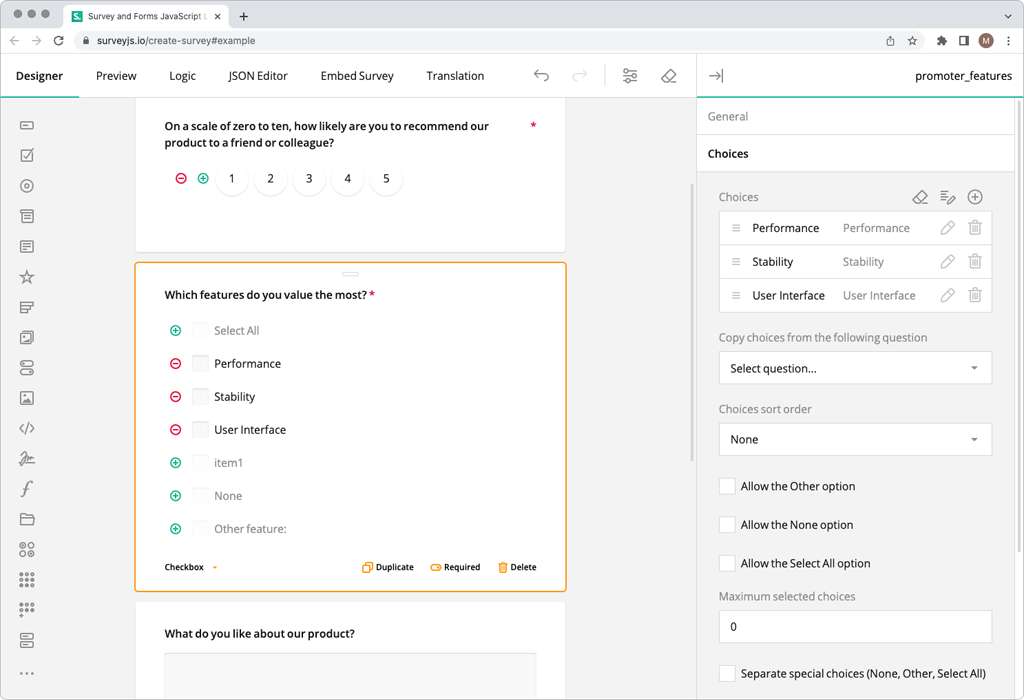
Survey Creator features an animated, highly customizable interface with a rich Toolbox, and supports advanced configurations like repeating sections, calculation fields, conditional logic, and editable default values. You can apply branching rules at the page, question, or even choice level using a GUI. Survey Creator makes it simple to design complex, interactive eCRFs without writing code, enabling clinical data managers or researchers to efficiently build study forms on their own.
Dashboard
SurveyJS Dashboard helps you visualize and analyze collected data in real time. It interprets the structure of your survey (JSON schema) and renders suitable charts, tables, and data grids based on your question types.
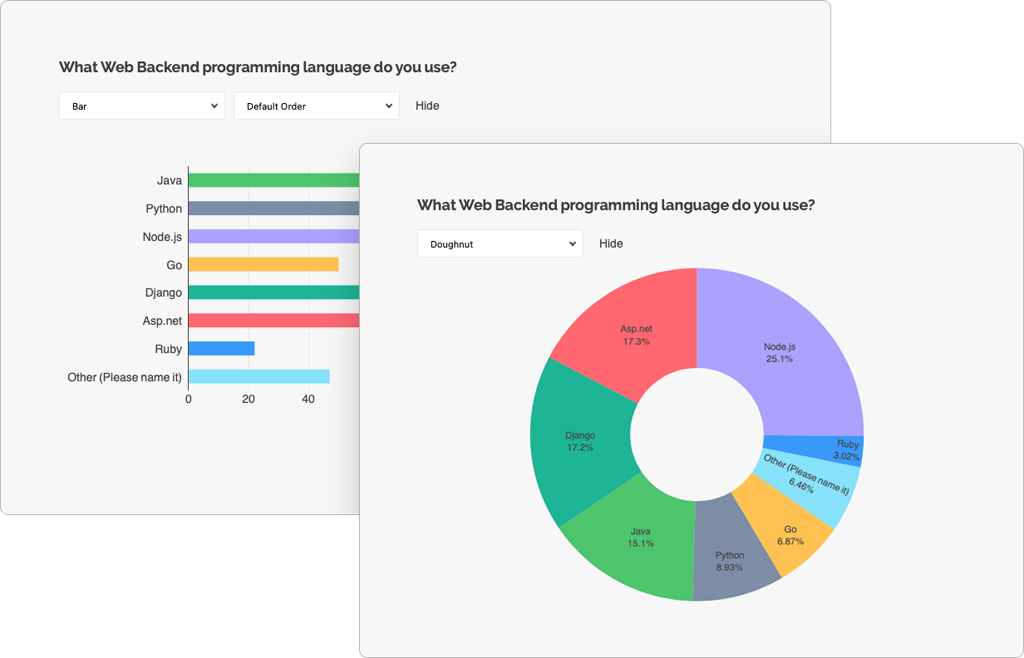
You can use built-in visualizers or implement custom ones. With features like filtering, server- or client-side pagination, and drag-and-drop layout editing, the Dashboard allows you to build flexible data visualization tools.
PDF Generator
SurveyJS PDF Generator allows you to export SurveyJS forms as editable, professional PDFs. Using the same JSON schema that powers your web forms, the PDF Generator reproduces the full layout and content in printable format.
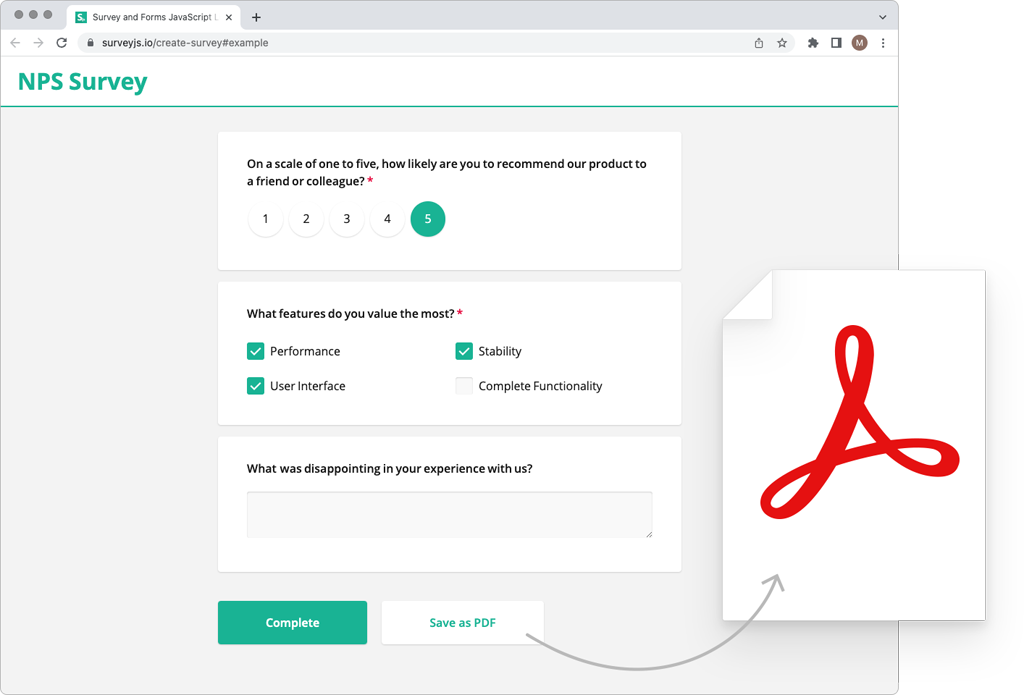
Responses collected via the Form Library can also be injected into PDFs to create pre-filled documents. This means you can generate both interactive eCRFs and printable CRFs in PDF from a single source and support workflows where paper archiving, participant handouts, or regulatory documentation is required.
Core EDC System Components
Electronic Case Report Forms (eCRFs)
Electronic Case Report Forms are digital versions of paper CRFs. They define what data needs to be collected and provide structured input fields, skip logic, branching, instructions, and validation rules for study personnel.
SurveyJS Survey Creator offers a comprehensive Toolbox containing simple inputs such as Single-Line Input, Long Text, Rating, as well as advanced components like File Upload, Signature, Dynamic Panels for repeating datasets, and Single- and Multi-Select Matrices. All inputs are built-in, and SurveyJS does not wrap external components or charge extra for "advanced" fields—you get full functionality with no restrictions.
If needed, you can extend built-in inputs with custom properties, create entirely new question types, or integrate third-party components, as detailed in the following help topic:
Question Customization Options
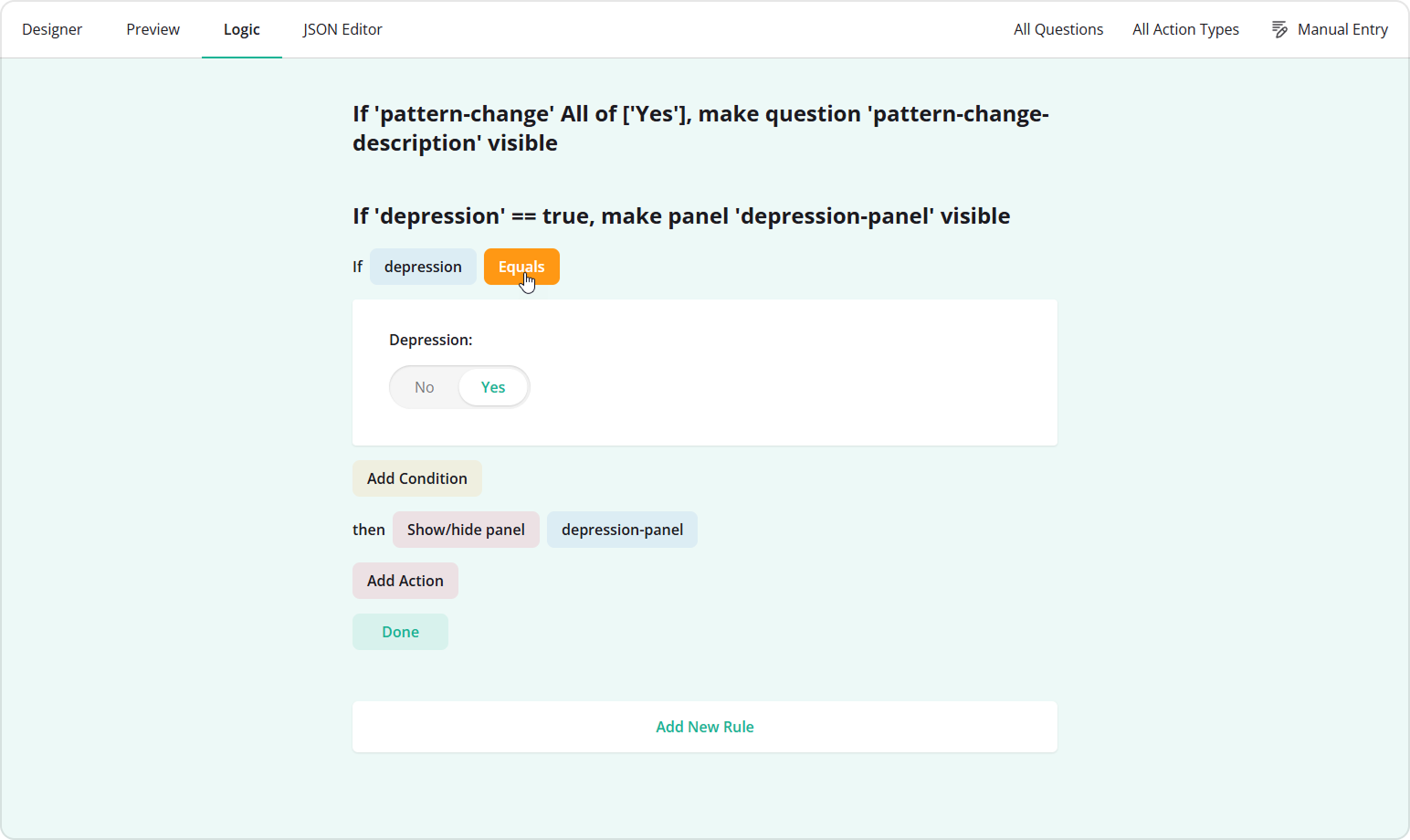
SurveyJS also provides a graphical interface for designing logic rules, making conditional logic intuitive for any user. Conditional visibility is supported at the level of the entire input and an individual choice option. A dedicated Logic tab aggregates all branching, skip logic, and show/hide rules for easy management.
Data Validation & Edit Checks
Data validation ensures data quality at the moment of entry. Examples include required fields, range checks (e.g., age must be 0–120), automatic calculations, and cross-field comparisons.
SurveyJS Survey Creator supports robust formatting and validation settings that help ensure your data complies with protocol requirements.
Input Masking
You can apply input masks to Single-Line Text fields. Available built-in mask types include:
- Pattern masks
- Date and Time
- Numeric
- Currency
Input masking work preventively, ensuring respondents cannot enter invalid values.
Input Formatting
Beyond input masking, SurveyJS supports built-in input formatting based on the selected input type. For example, when an input is set to "Date", additional settings like Min and Max allow you to define the acceptable date range. Numeric questions also include Min and Max parameters to enforce range validity.
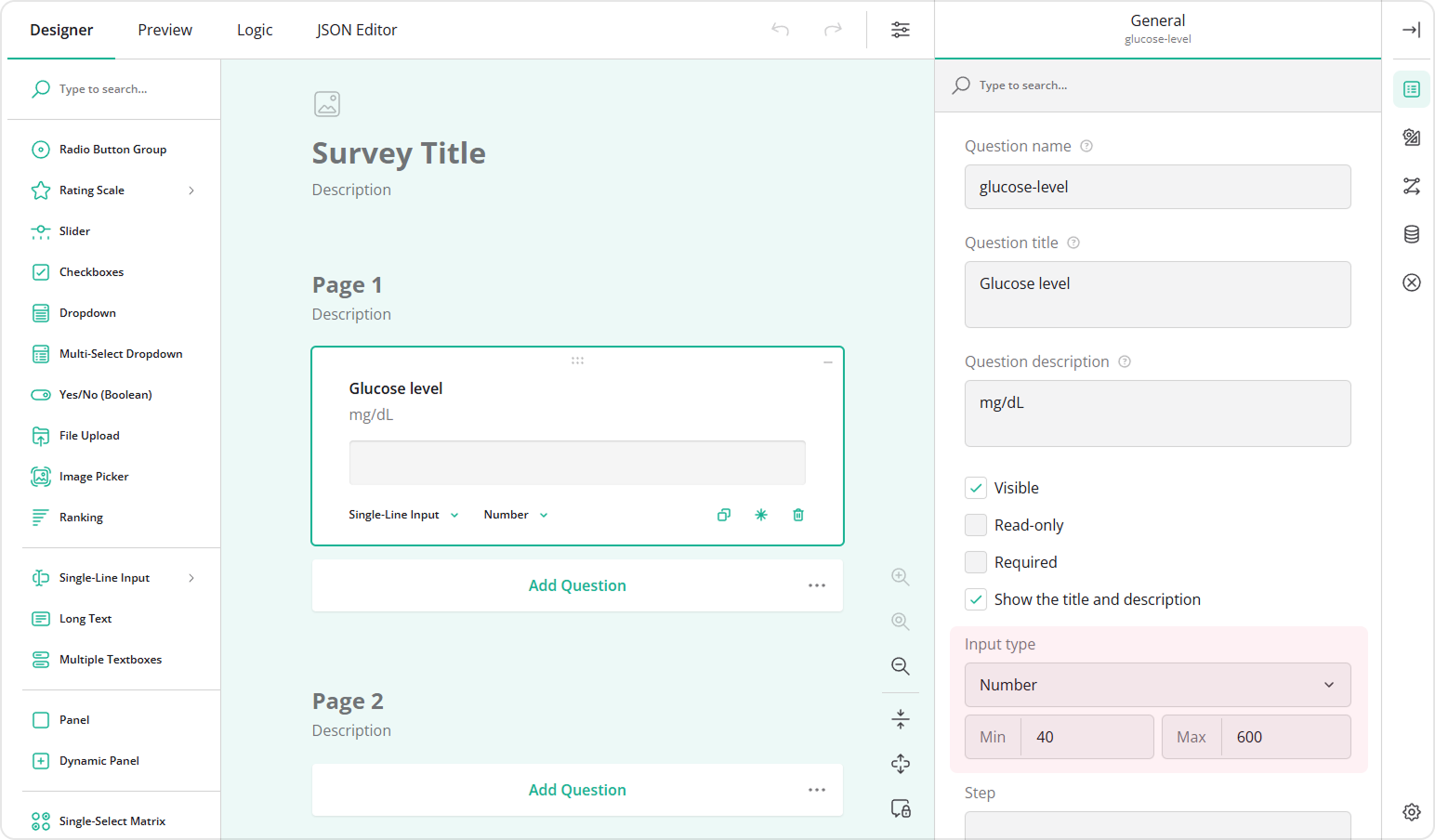
Survey Creator allows you to configure logic-based validation rules using validators. Unlike input masking, validators don't prevent input; instead, they check the value when the respondent moves to the next page or attempts to complete the form. If conditions are not met, an error message is displayed.
SurveyJS offers several validator types out of the box:
- Text
- Number
- Answer Count
- Regex
- Expression
If your validation workflow requires communication with a backend, SurveyJS also supports server-side validation using the onServerValidateQuestions event handler.
Backend and Data Storage
An EDC system relies on a secure database that supports features like versioning, audit trails, encryption, backups, and disaster recovery.
SurveyJS forms and responses are entirely JSON-driven. You can store schemas and collected data in any database—SQL, NoSQL, cloud, hybrid—while maintaining full control over versioning, storage, and security. SurveyJS does not store your data, you always retain full ownership.
Audit Trail & Compliance Layer
Audit trails track every change—who made it, when, and why—which is essential for FDA 21 CFR Part 11, ICH-GCP, and EU Annex 11 compliance.
Because SurveyJS is purely a front-end UI library and does not include a backend, it does not prescribe or limit how audit trails must be implemented. This gives you complete flexibility to design an audit trail system that meets your organization's regulatory, technical, and security requirements.
To implement audit trails with SurveyJS, you can:
- Log form version changes when authors modify or publish forms in Survey Creator
- Track which authenticated user created, edited, or approved a form
- Record metadata for each response submission (timestamp, device info, user identity)
- Store old and new values whenever data is corrected or updated
- Capture and store "reason for change" when required
- Maintain a version history for eCRFs and submitted records
SurveyJS triggers events whenever users modify answers, navigate pages, save partial responses, or complete a form. These events can be captured in your application and sent to your backend for logging. Likewise, form designers using Survey Creator produce events when they modify questions, change logic rules, rename fields, or manage metadata.
Since SurveyJS is backend-agnostic, you can build an audit trail mechanism using your existing backend infrastructure.
User Management & Access Control
Role-based access control ensures that investigators, monitors, data managers, and admins have the correct permissions.
SurveyJS is a suite of front-end libraries and intentionally does not ship with built-in authentication or user management. Instead, it integrates seamlessly with any backend or identity provider. You can use your own authentication system or solutions such as Auth0 or AWS Cognito to:
- Authenticate users
- Authorise actions (e.g., only editors can publish forms)
- Restrict access to sensitive data
- Track user activity and enforce permission rules
SurveyJS UI components simply respect the permissions defined by your backend.
Reporting & Export Tools
Study teams often need progress dashboards, listings, safety reports, and exports to formats like CSV, Excel, SAS, SDTM, or JSON.
SurveyJS includes a dedicated Dashboard component for real-time analytics. It reads your survey schema to identify question types and selects appropriate charts, tables, or grids for visualization. Key features include:
- Charts and graphs for response visualization
- Localization for multilingual dashboards
- Client- or server-side filtering and sorting
- Drag-and-drop layout adjustments
- Support for custom visualizers
SurveyJS returns responses in JSON format, allowing you to export results using your backend tools. You can easily generate CSV or Excel using libraries such as json2csv or exceljs—or produce client-side exports for smaller datasets.
Integration Capabilities
EDC systems often need to integrate with external services, such as:
- ePRO/eCOA platforms
- Randomization systems (RTSM/IWRS)
- EHR/EMR systems via HL7/FHIR
- Safety and pharmacovigilance systems (e.g., SAE reporting)
You can use SurveyJS components in any web application, including SaaS platforms (single-tenant, multi-tenant, or hybrid), and host your application on any server or cloud provider. SurveyJS natively supports Angular, React, and Vue, and also provides a dedicated package for vanilla JavaScript, making it a truly multi-framework solution. Because your survey schemas are defined in JSON, they are fully portable across projects, environments, and frameworks—allowing you to reuse the same eCRFs in multiple applications, migrate forms between systems, or maintain a central repository of study templates shared across projects, teams or tenants.
This interoperability means you can embed SurveyJS into clinical, research, or enterprise systems without architectural constraints, integrate it with existing workflows, and evolve your technology stack without ever needing to rebuild your forms.
Study Design / Form Builder
The study design module is the backbone of any EDC system. It allows data managers to create eCRFs, configure workflows, and build complex study structures—without developer involvement.
SurveyJS Survey Creator provides a user-friendly yet robust drag-and-drop interface that is fully animated, accessible, and designed for non-technical users. With its rich Toolbox, no-code logic editor, validators, and real-time preview, it greatly accelerates study setup while reducing dependency on engineering teams.
Conclusion
SurveyJS provides a modern, flexible, and fully customizable approach to Electronic Data Capture. Its combination of a powerful form builder, rich input components, JSON-driven architecture, validation tools, real-time dashboards, and seamless integration capabilities makes it one of the strongest solutions available for clinical and research data collection. With SurveyJS, you can design complex eCRFs, ensure data quality, maintain full ownership of your data, and support both interactive digital workflows and printable documentation—all from a single form definition. That's why SurveyJS is the best software for Electronic Data Capture.